





Download Companion
Windows: Microsoft Store. macOS and Linux: GitHub Releases.
Use the Drawsy AI canvas with Codex or OpenCode running on your computer — no Drawsy subscription required.
Runs in the background
Always ready when you need it.
Works with Codex or OpenCode
Use the tools you already have.
Local-first by default
Companion runs on your machine; project files stay local.
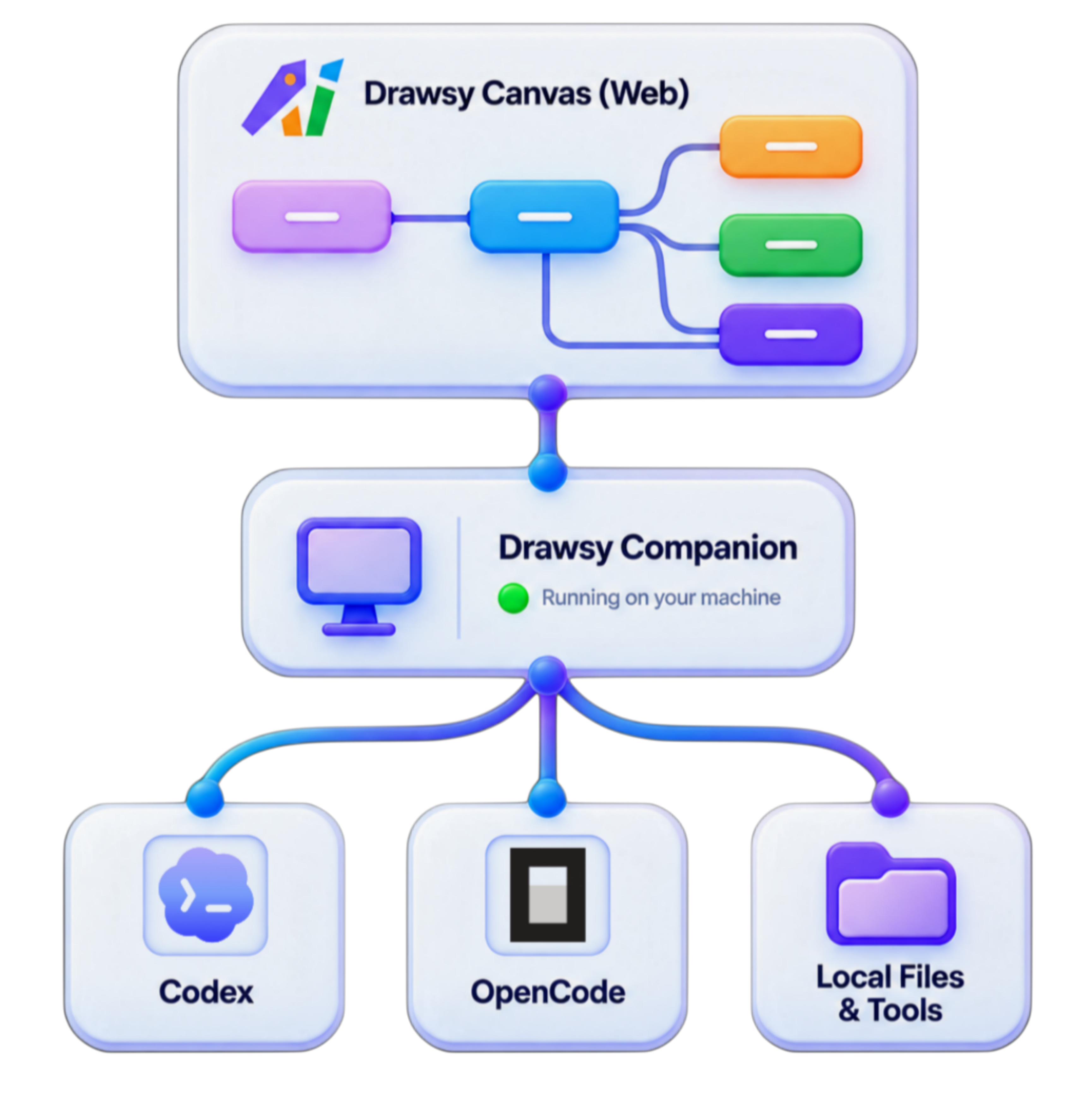
100% local by default
Drawsy Companion connects Drawsy Canvas to Codex CLI or OpenCode CLI and your local project files — securely, on your machine.
Drawsy (Web)
Drawsy Companion
Codex CLI
OpenCode CLI
Your project
Drawsy (Web)
Drawsy Companion
Codex CLI
OpenCode CLI
Your project
Install the desktop app without Node.js, or choose the terminal version if you already use it.
Installs through Microsoft Store on Windows, or GitHub on macOS and Linux. No Node.js needed.
Choose your computer to see its install command.
Choose Windows, macOS, or Linux to see supported devices and the matching command.
After Companion starts, go to drawsyai.com, sign in, and open a canvas.
Prefer your AI agent to do the setup? Copy this prompt into Codex, Claude Code, Pi, or OpenCode.
This runs Companion in the background and starts it when you sign in. Use a package manager you already have; do not install one just for Drawsy.
npm install --global --ignore-scripts @drawsy/companion@latest && drawsy-companion setupnpm, pnpm, and Bun install the same CLI package. Node.js is still required to run it. To update, run drawsy-companion autostart disable first (.cmd on Windows), then run this command again. This updates the CLI; desktop app updates come from GitHub.
Windows: Microsoft Store. macOS and Linux: GitHub Releases.
Install either Codex CLI or OpenCode CLI (one is enough).
Launch Drawsy Companion. It runs in the background.
Go to Drawsy Web in your browser.
Choose a local project folder from your computer.
Ask Drawsy to understand, plan, modify, or build.