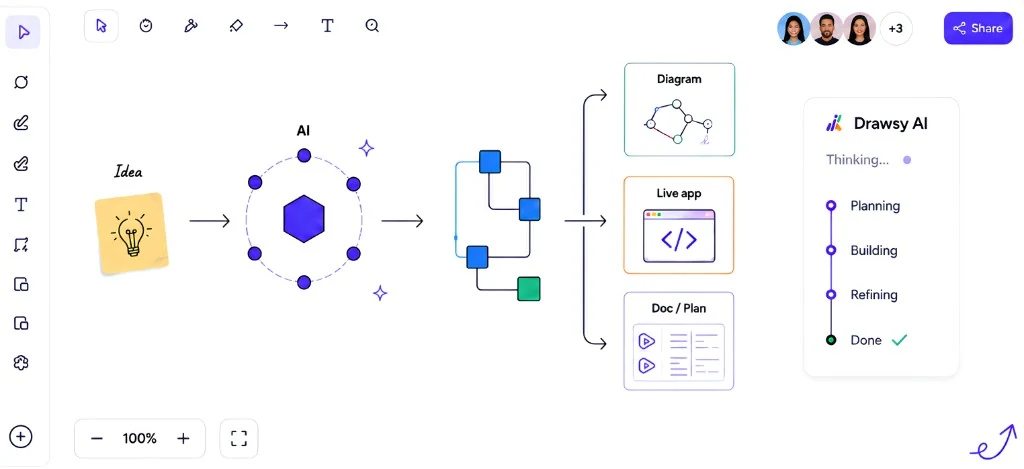
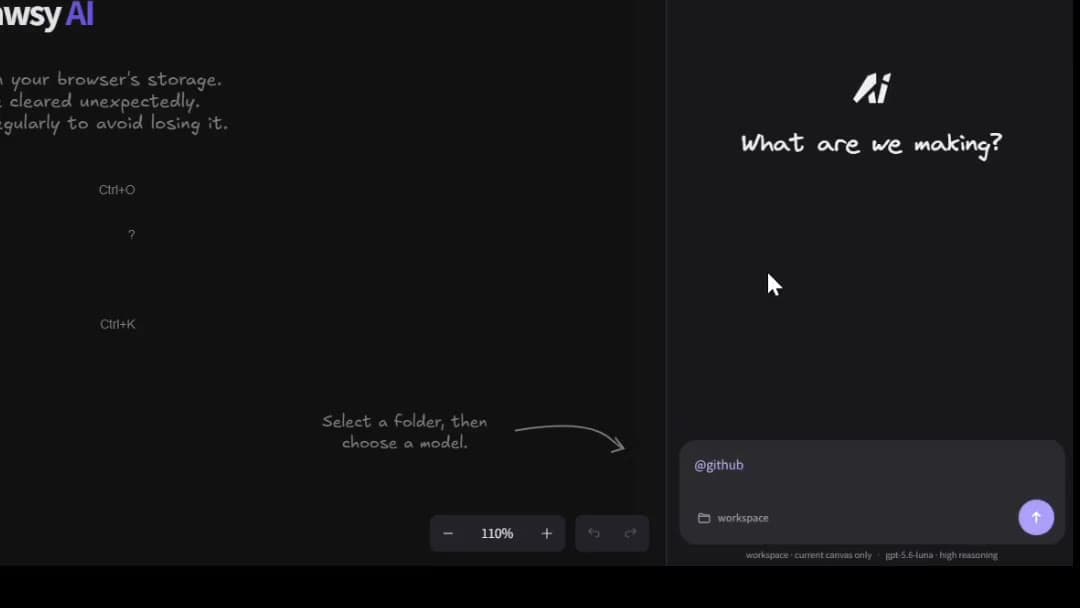
An AI canvas is an infinite visual surface where diagrams, notes, and other project context can live together while AI can understand and work with what's on the board. Drawsy AI is an example of this approach, combining an infinite canvas with connected project context and AI agents.
An AI canvas is a live visual board for thinking work: system diagrams, product maps, research boards, and planning sketches. Unlike a static image or a one-off whiteboard photo, the canvas stays editable — objects can be linked, grouped, framed, and connected to external sources so AI can reason about the layout and content together.
The canvas can function as the visual surface of a broader AI workspace, where connected sources and AI workflows persist around the work. The AI part is not a separate window: questions and agents can reference selected regions, linked cards, and connector-backed documents on the same board.
That surface is especially useful for visual thinking, where spatial relationships help people explore complex ideas before committing to a single explanation.
Where Drawsy AI fits
Drawsy AI treats the canvas as more than a place to draw. It becomes a working surface for diagrams, decisions, documents, connected sources, and AI-assisted workflows. The goal is to keep the visual structure of a project connected to the information behind it.
AI canvas vs traditional whiteboard
A traditional whiteboard is excellent for workshops and sketching. An AI canvas starts from that visual foundation, then adds structured objects, connected project context, and AI that can work from the board — not only a chat sidebar bolted onto a drawing tool.
Drawsy AI is not positioned merely as a whiteboard with an AI chat panel. The canvas is the surface; connected context and agents are part of how work continues on that surface.
Traditional whiteboard
→ visual work
→ shapes / notes
→ collaboration

AI canvas
→ visual work
→ connected context
→ structured objects
→ AI understands the workspace
→ agents can work from that context
A Drawsy AI canvas workflow
A practical loop on an AI canvas looks less like a one-shot prompt and more like iterative visual work:
Start with an idea
        ↓
Draw the system
        ↓
Connect project context
        ↓
Ask AI about the canvas
        ↓
Expand / modify / reason
        ↓
Build from the result
Sketch first — get structure on the board before asking AI to invent it
Connect sources when answers need code, docs, or conversations
Keep follow-up edits on the same canvas so context does not reset
What can an AI canvas contain?
The useful part of an AI canvas is not simply putting a model next to a drawing surface. It is allowing AI to work from the context represented on the canvas and the sources you have explicitly connected.
Depending on the product and what you authorize, that context can include:
Diagrams and shapes
Text and notes
Frames and spatial groups
Links between objects
Project references on the board
Connected documents
Repository context
Other authorized sources
Why it matters
Spatial layout carries meaning. Proximity shows relationship; lanes show phases; clusters show ownership. When AI only sees a flat text dump, that structure disappears. An AI canvas preserves it so both humans and models can use spatial cues.
Teams that plan in visuals move faster in alignment meetings because everyone sees the same map. When the map is also machine-readable, you spend less time re-explaining the diagram before every AI question.
Examples
Product discovery: sticky-note clusters for pains, arrows for workflows, a frame for the MVP scope. AI suggests gaps in the journey using the visible map.
Engineering: service boxes, dashed lines for async events, a linked GitHub folder on a critical service. AI answers questions about blast radius using both sketch and repo context.
Workshop output: instead of photographing a physical whiteboard, facilitators build directly on an AI canvas so remote teammates and later AI queries see the same structured board.
How Drawsy AI relates
Drawsy AI's canvas is the entry point for the workspace. Open https://drawsyai.com without logging in, sketch architecture or plans, then connect GitHub, Notion, Slack, Drive, Gmail, Figma, PostgreSQL, or HydraDB when you need richer answers.
Ask questions scoped to frames and links on the board. Agents can expand diagrams, summarize decisions, and propose next steps while staying on the canvas — not in a detached chat tab.
Limits matter: connector access depends on plan tier, agent runs are metered, and AI can misread complex boards if selection is unclear. Verify important outputs against your sources.
Related concepts
An AI canvas is the visual surface inside an AI workspace.
It is particularly useful for visual thinking, where spatial layout makes relationships and gaps easier to see.
Connected context lets the canvas incorporate information from authorized project tools.
Context-aware AI works from that project context rather than a blank prompt.
AI coding agents are one way agents act on canvas and repository context together.
Frequently asked questions
An AI canvas is an infinite visual surface where diagrams, notes, and other project context can live together while AI can understand and work with what's on the board.
A whiteboard focuses on drawing and collaboration. An AI canvas keeps that visual work and adds structured objects, connected project sources, and AI that can work from the board — not only a chat window beside a sketch.
In Drawsy AI, AI can work from selected regions, frames, linked objects, and authorized connected sources — not from every pixel of an unbounded board by default. Clear selection and curated context produce better answers than dumping the entire canvas into a prompt.
Common uses include system architecture, product planning, research maps, design exploration, and developer workflows where diagrams need to stay linked to docs, code, and conversations.
Drawsy AI is an AI-native visual workspace built around an infinite canvas. The canvas is the visual surface where project information, diagrams, and connected context come together; the workspace includes the surrounding context, tools, collaboration, and AI agents that work with it.