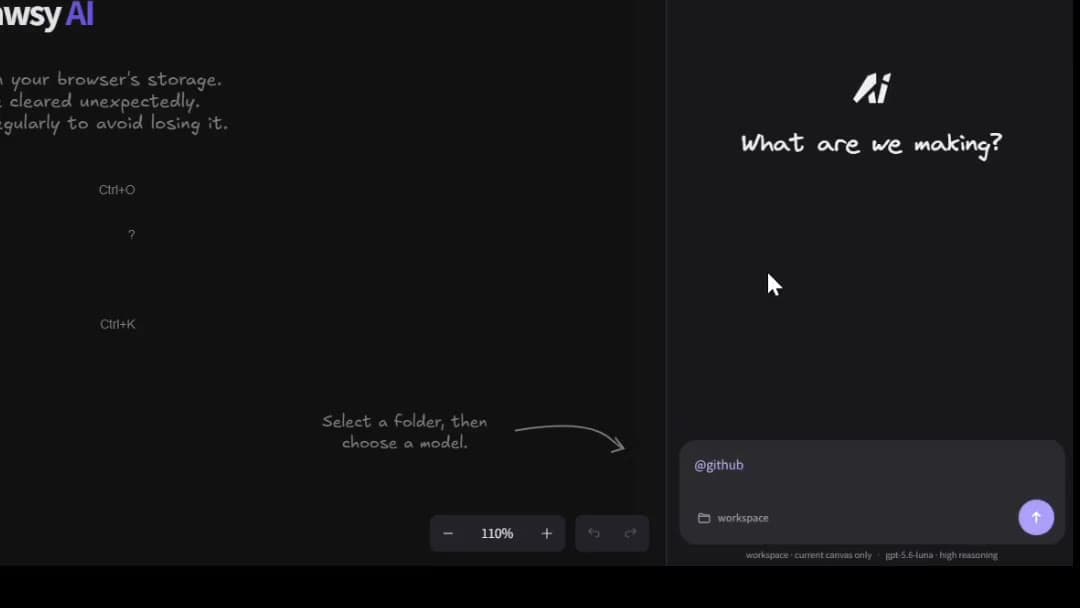
Two tools relevant to technical architecture — different jobs for the diagram: Eraser is built for AI-assisted technical diagramming and engineering documentation; Drawsy AI is built for a broader project workspace where architecture stays connected to context, AI, coding agents, and a path toward implementation.
The central question is not which product “wins architecture.” It is: do you need a technical diagramming tool, or a broader project workspace connecting architecture to implementation?
Eraser and Drawsy AI both matter to developers and technical teams. Their centers of gravity differ.
Where they overlap
Both can be relevant for technical diagrams, software architecture, developer workflows, documentation adjacent to systems, and AI-assisted technical work.
Eraser is especially strong at turning prompts, code, and docs into structured diagrams — including cloud architecture, sequence diagrams, ERDs, and related technical visuals — with MCP and agent integrations for coding assistants.
Drawsy AI overlaps on architecture visualization and AI, then continues into connected project sources, Companion-supported coding workflows, and a canvas → agent → code → running software loop.
Quick comparison
Focus on workflow role. Both products keep adding AI and agent surfaces — so “who has AI” is not a useful differentiator.
Drawsy AI
Eraser
Core focus
Visual project workspace
Technical diagramming + engineering docs
Primary artifact
Canvas + project context
Diagrams / docs (incl. diagram-as-code)
AI
AI + agents around project context
AI diagram generation / editing
Coding agents
Companion + canvas workflow
MCP / agent integrations for diagrams
Architecture
Architecture + context + implementation path
Architecture diagrams + technical docs
Cloud / AWS diagrams
Infrastructure context on the canvas
Strong cloud architecture diagramming
Project sources
Connected sources on the workspace
Code/docs/files as diagram inputs
Best fit
Context-heavy architecture → build workflows
Focused technical diagramming & docs
Different workflow shapes
The diagram plays a different role in each product.
Drawsy AI

Project
   ↓
Context
   ↓
Canvas
   ↓
Architecture
   ↓
AI
   ↓
Agent
   ↓
Code
   ↓
Running software
Eraser is better when…
Choose Eraser when technical diagramming and documentation are the main job.
You want a focused architecture / diagramming workflow
Technical documentation next to diagrams is the primary deliverable
You prefer diagram-as-code / structured technical visuals as the center of the product
Your team already has separate tools for broader project context and implementation
Coding agents should generate or update diagrams in a dedicated diagramming workspace
Drawsy AI is better when…
Choose Drawsy AI when architecture is one layer inside a larger project workspace.
The canvas is part of ongoing project work — not only a diagram file
Architecture needs to stay connected to project context and sources
AI should reason over canvas + authorized project context together
Coding agents are part of how the team ships from the same visual layer
You want a path from architecture toward implementation and running software
Architecture workflow
Both can support software architecture. Do not choose based on “Eraser can’t do architecture” or “Drawsy AI can’t diagram.”
If you need Drawsy AI’s full architecture story — existing systems, AWS infrastructure maps, DRAW.md, agents, and live previews — use AI System Architecture Tool. This comparison page owns the Eraser decision; that page owns the architecture topic.
Code and project context
Eraser can take code, docs, and related inputs into strong technical diagrams — including referencing repositories and files as diagram inputs. That is a real strength for engineering documentation.
Drawsy AI connects project sources onto a shared visual workspace so architecture, decisions, and AI share connected context on the canvas:
GitHub
   ↓
Canvas
   ↓
Context
   ↓
Architecture
Architecture → implementation
When the next step after the diagram is building, Drawsy AI’s differentiation is continuing on the same workspace — not exporting a diagram into a disconnected coding chat.
DRAW.md is Drawsy AI’s bridge for keeping architecture close to the code — a repository-side document that can render into editable canvas content and stay available to coding agents.
It is a differentiator for project-connected architecture work, not a claim that Eraser lacks documentation. For the full explanation, see the DRAW.md section on AI System Architecture Tool.
Repository
    ↕
 DRAW.md
    ↕
Drawsy AI canvas
    ↕
Coding agent
Which should I choose?
Choose Eraser if technical diagramming and engineering documentation are the primary job — especially when you want AI/MCP-driven diagram generation as the product center.
Choose Drawsy AI if your work combines architecture with project context, AI, coding agents, and a path toward implementation on one visual workspace.
Use both when Eraser owns polished technical diagrams/docs and Drawsy AI owns the living project board around build.
Start free at https://drawsyai.com. Sign in at /login when you need boards to persist.
What Drawsy AI is not claiming
Drawsy AI is not claiming to be “Eraser with more AI.” Eraser’s AI diagramming, cloud architecture visuals, docs workflow, and MCP agent integrations are real.
Drawsy AI is a better fit when the diagram must live inside a broader project → context → agent → software loop — and a weaker fit when you only need a focused technical diagramming/docs tool.
Frequently asked questions
Eraser centers on technical diagrams and documentation — prompt-to-diagram, diagram-as-code, architecture visuals, and agent integrations that generate or update diagrams. Drawsy AI centers on a visual project workspace: architecture sits beside connected project context, AI, coding agents, and a path toward running software.
Yes, when you need more than a focused diagramming/docs workflow — especially if architecture must stay tied to project sources, agents, and implementation. If your primary job is producing and maintaining technical diagrams and docs, Eraser may still be the better fit.
Yes. Eraser offers AI diagram generation and editing, and MCP / agent integrations so coding agents can create and update diagrams in an Eraser workspace. Drawsy AI also works with AI and coding agents — the difference is Drawsy AI’s center of gravity around canvas + project context + implementation, not exclusive ownership of diagram AI.
Both can support architecture work. Eraser is strong when the deliverable is a technical diagram or architecture doc. Drawsy AI is stronger when the architecture map must stay connected to repository context, infrastructure context, coding agents, and a path toward build. For that workflow in depth, see the AI System Architecture Tool use case.
Yes — as part of the system architecture workspace, with AWS resource context brought onto an editable canvas. Eraser also has strong cloud architecture diagramming. Choose based on whether you need a focused diagramming tool or a broader project workspace.
DRAW.md keeps architecture close to the repository — a project document that can render into editable canvas content and stay available to coding agents. It is detailed on the system architecture page rather than fully restated here.
Choose Eraser when technical diagramming and engineering documentation are the primary job. Choose Drawsy AI when architecture is one layer inside a project workspace that connects context, AI, agents, and implementation. Many teams can use both.
Open guest mode and map architecture with project context — then decide whether Eraser’s diagramming focus or Drawsy AI’s project workspace fits the job.