
Why We Built DRAW.md: Keeping Architecture Close to the Code
How Drawsy AI uses DRAW.md to keep architecture next to the repository — a canonical project document that can render into an editable canvas and stay available to AI coding agents.
Reviewed by Drawsy engineering team
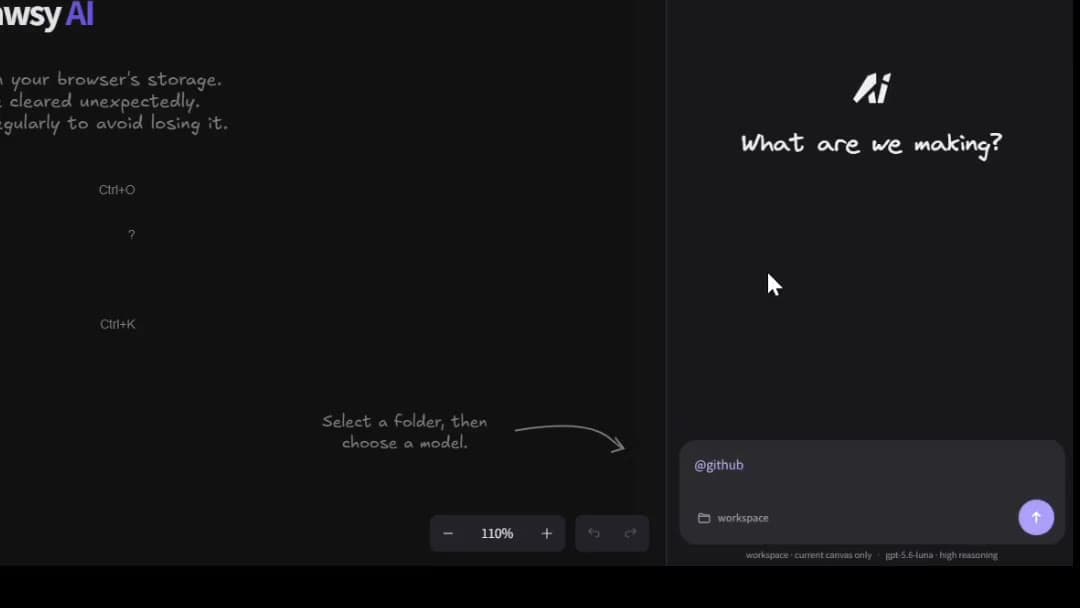
Architecture that lives next to the code — not in a slide deck
Most teams invent the same painful pattern eventually:
Someone draws a careful system diagram. It gets exported as a PNG. It lands in a slide, a wiki page, or a shared drive. Months later the code has changed — and the diagram has not.
The diagram was rarely wrong on day one. It became wrong because it stopped living where the system lives.
That is the problem DRAW.md is meant to address inside Drawsy AI: keep architecture close enough to the repository that visual work, project context, and AI coding agents can share the same map.
Drawsy AI is an AI-native visual workspace for developers and teams. DRAW.md is how that workspace stays connected to the code, not floating beside it.
The architecture drift problem
Traditional workflows quietly split two truths:
Traditional

Code ──────── Architecture diagram
              ↑
often drifts- Code changes in pull requests
- Architecture explanations change in meetings
- Diagrams change — if they change at all — in a separate tool
- Agents and new teammates inherit whichever snapshot they find first
Why separated diagrams hurt more in the agent era
When humans alone owned implementation, a stale diagram was annoying. With coding agents, it becomes expensive.
An agent that only sees the current file can still miss service boundaries, dependency constraints, and the decisions that explain why the system looks the way it does.
That is a context engineering problem as much as a documentation problem: architecture is part of the information environment the agent needs — if it can find it in a usable form.
A PNG in a slide deck is almost invisible to that loop. A project document next to the code can participate.
This is also why architecture work on Drawsy AI sits on the AI system architecture path and the developer workspace path — not as a one-off export from a whiteboard session.
What DRAW.md is
DRAW.md is Drawsy AI’s canonical project document for architecture that needs to stay close to the repository.
It lives with the code as a readable project document. From there, it can render into editable canvas content on a Drawsy AI board — so the visual map is not a dead screenshot of something that used to be true.
Once it is on the canvas, that architecture sits in the same workspace as connectors, decisions, and agent workflows. Coding agents can work from that visual + project layer instead of reconstructing intent from a detached image.
The point is not another markdown format to maintain for its own sake. It is a bridge so architecture does not live outside the project.
- Architecture stays close to the code that implements it
- Canvas content can stay aligned with a readable project document
- Agents can work from the same map — not a screenshot in a slide deck
- Complements Git and docs; does not replace them as source of truth
Repository ↔ DRAW.md ↔ canvas ↔ agent
The intended loop is not “generate a prettier diagram.” It is to keep architecture in the middle of the development workspace:
DRAW.md

Repository
    ↕
 DRAW.md
    ↕
Drawsy AI canvas
    ↕
 AI / Agent
What each hop is for
Repository — where the system actually changes. Source of truth for implementation stays in Git.
DRAW.md — the project-local architecture document that can travel with the repo and render into the canvas.
Drawsy AI canvas — the editable visual workspace where services, flows, and decisions stay visible beside connected context.
AI / agent — coding agents and workspace AI that can use that shared map when implementing or questioning the design — including local workflows through Drawsy Companion.
Where DRAW.md fits in a developer architecture workflow
DRAW.md is most useful when architecture is treated as ongoing project work — not a kickoff artifact.
A practical loop looks like this:
- Map or update the system on the canvas with repository context nearby
- Keep the architecture document in the project so it can render back into editable canvas content
- Use that shared layer when asking agents to implement, refactor, or explore options
- Continue past the diagram into code and previews when the design needs to meet reality
Keeping architecture documentation synced with code
DRAW.md does not magically rewrite itself every time someone merges a PR. Sync is a workflow problem, not a marketing slogan.
What it changes is the default place architecture lives:
- Closer to the repository than a slide deck
- Renderable into an editable canvas instead of frozen as an image
- Available in the same workspace agents already use for implementation context
What DRAW.md is not
DRAW.md is deliberately not a claim that Drawsy AI replaces your documentation stack or your cloud console.
- It is not a replacement for Git as source of truth
- It is not a replacement for ADRs, RFCs, or product specs when those already work
- It is not a replacement for infrastructure-as-code or the AWS console
- It is not “architecture as a generated image you cannot edit”
Architecture as code — adjacent, not identical
Teams often talk about “architecture as code” when they want diagrams and decisions versioned next to implementation.
DRAW.md sits in that territory without pretending every architectural decision should become a build artifact. It is architecture documentation that can stay next to the code and become editable canvas geometry — a developer architecture workflow, not a new compile target.
If you want the full system-architecture product story — existing systems, AWS maps, agents, and live previews — that lives on AI System Architecture Tool. This article owns the DRAW.md rationale.
Who this is for
DRAW.md is for teams that already feel the gap between the diagram and the repo:
- Developers who need architecture to survive past the kickoff meeting
- Teams using coding agents that need better project context than a chat paste
- Architects who want an editable map that can stay connected to implementation work
- Anyone tired of “the real architecture is in someone’s head / last quarter’s deck”
Frequently asked questions
What is DRAW.md?
DRAW.md keeps architecture close to the code: a project document in the repository that can render into editable Drawsy AI canvas content and stay available to coding agents working from that workspace.
Does DRAW.md replace Git or documentation?
No. It complements Git and docs. Implementation source of truth stays in the repository; DRAW.md is a bridge so architecture does not live only as a detached diagram.
How does DRAW.md help AI coding agents?
Agents need architecture as usable project context, not a PNG in a slide deck. DRAW.md helps keep that map next to the repo and on the same Drawsy AI workspace agents can work from.
Is DRAW.md the same as architecture as code?
It sits in the same problem space — keeping architecture close to implementation — without claiming every diagram must become a build artifact. It is a readable project document that can become editable canvas content.
Where should I read the full architecture product story?
Use the AI System Architecture Tool page for existing systems, AWS infrastructure maps, agents, and live previews. This article focuses on why DRAW.md exists.
Keep architecture on the same workspace as the code
Map your system on Drawsy AI, keep DRAW.md close to the repository, and give agents a shared project map — not a stale slide.
Related reading
- From Architecture Diagram to Running SoftwareThe full Understand → Live preview workflow.
- AI System Architecture ToolArchitecture with project context, AWS maps, DRAW.md, agents, and previews.
- AI Workspace for DevelopersRepository context, Companion, and coding agents on one canvas.
- AI Coding AgentsHow coding agents plan, use tools, and work from project context.
- Context EngineeringHow to select and structure the context agents actually need.
- Local AI coding agent + AI canvasHow Codex CLI / OpenCode connect to a visual workspace.
- From Architecture Diagram to Running SoftwareExplore how architecture, project context, AI coding agents, and a visual workspace can connect the path from system design to working software.
- How to Use a Local AI Coding Agent with an AI CanvasLearn how local AI coding agents work with Codex CLI and OpenCode, why local project access matters, and how an AI canvas can turn code, context, and ideas into one visual workspace.